
Full library & search
Every album, artist, playlist, and track on the host — searchable and startable from the phone.
Lagu Remote
Leave Lagu playing on the computer, the Apple TV, or an Android TV. Pick up your phone and run the whole session — browse, queue, seek, volume — from the sofa, the kitchen, or anywhere your Wi-Fi reaches.
Phones and hosts mix freely across platforms. An Android phone can run an Apple TV; an iPhone can run a Windows PC. One protocol, every combination.
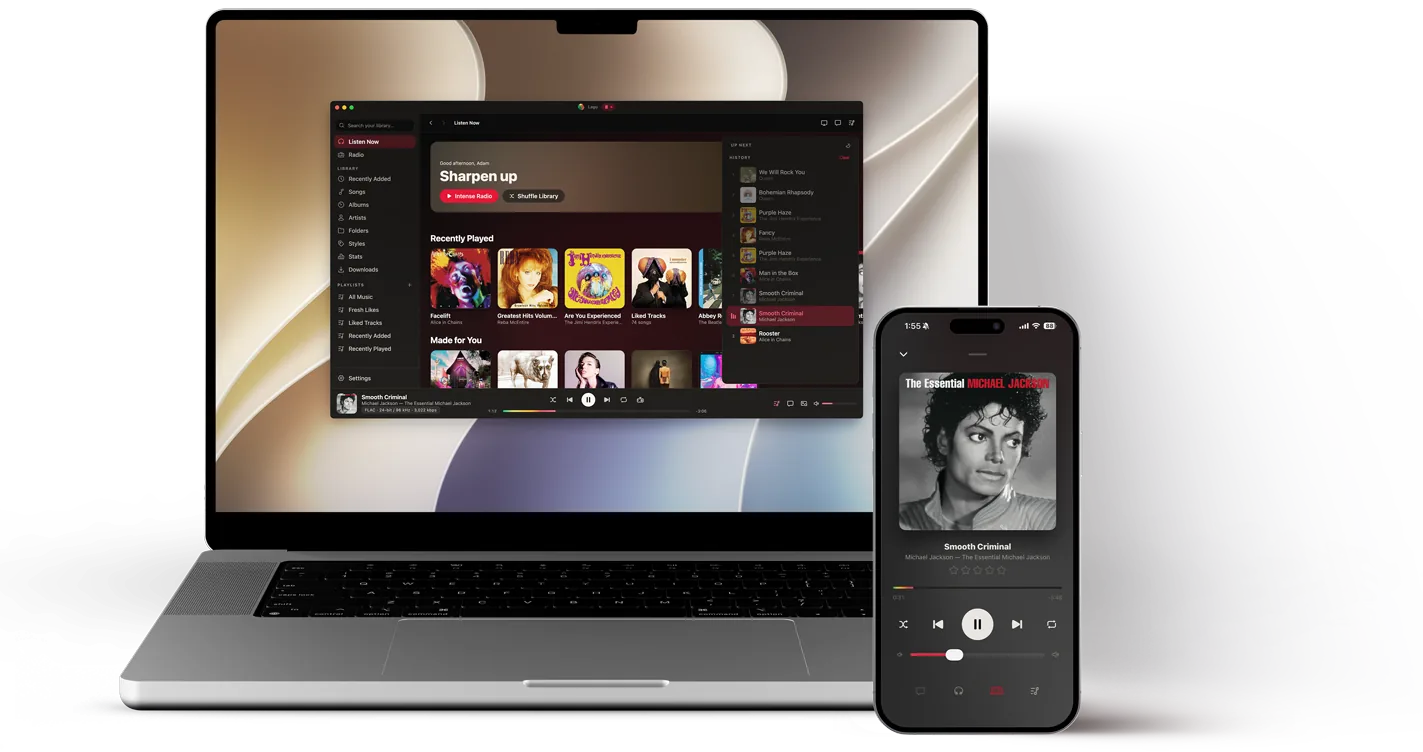
Search and open your full library on your phone, then start an album, playlist, station, or song on the host.
See what’s playing, add what comes next, move songs around, or jump ahead. The queue stays in step on both screens.
Pair once with a QR code or six-digit PIN. Everything runs over your own Wi-Fi, phone to host — the connection never leaves the house.
How it works
Remote is off until you switch it on at the host. From there it’s three steps, once per device.
Enable Remote on your desktop, Apple TV, or Android TV and it shows a QR code, with a six-digit PIN as a fallback.
Your phone verifies the host’s certificate fingerprint and mints its own random token. Codes expire, and wrong guesses are limited.
Browse, search, queue, transport, volume, stations — and hand playback between devices. Unpair any device later and its session closes immediately.
More than play and pause
Every album, artist, playlist, and track on the host — searchable and startable from the phone.
Up Next with drag-to-reorder, Play Next, and Add to Queue. Both screens follow along live.
Play, pause, skip, seek, shuffle, repeat, and the host’s volume — with smooth phone-side position tracking.
Fire off track, artist, album, genre, mood, or decade radio on the host without touching it.
Move playback from phone to host — or back — keeping the track and your place in it. Never two speakers at once. If the computer is already playing a queue of its own when you connect, Lagu asks which one to keep.
Covers load on the phone straight from your own Plex server — never squeezed through the Remote link.
The Android and Apple apps speak one wire protocol, tested byte-for-byte against each other.
Security
Your phone talks directly to Lagu on your own network; no third-party service sits in the middle.
Who does what
Anything marked Controller pairs with anything marked Host — same pairing, same controls, whatever the combination. None of it needs a Plex Pass; a free Plex account covers all of it.
Hosts whenever it’s running — even closed to the tray. Keeps music and connected phones alive in the background.
Windows · macOS · LinuxHosts while the Lagu app is open — that part is a tvOS rule. Phones reconnect when you return to the app.
Foreground hostingHosts from Settings with a QR and a six-digit PIN, lists paired phones with last seen and Forget, and keeps running when you back out of the app, so a paired phone does not drop.
Background hostingThe full controller: browse, queue, stations, handoff. A persistent banner always says which room you’re running.
SwiftUIThe same controller, natively — with network rediscovery that survives router reboots and multi-adapter hosts.
Kotlin · ComposeControls iPhone playback through the watchOS Now Playing route — and never hijacks it just by opening the app.
watchOS system pathQuestions
No. Remote runs entirely on your local network, on a free Plex account.
Yes. Lagu Remote is one protocol implemented on each platform, so any controller pairs with any host. Android to Apple TV, iPhone to Windows, iPad to Linux: same QR code, same controls.
No. Audio stays on the computer or the TV; your phone sends commands and shows what’s playing. If you’d rather listen on the phone, hand the session off and playback follows you.
Desktop on Windows, macOS, and Linux, whenever it is running, tray included. Android TV, which keeps hosting when you back out of the app. Apple TV, while the Lagu app is open in the foreground, which is a tvOS rule rather than ours.
No. Lagu Remote is deliberately local-network only — your controls never leave the house.
The phone rediscovers the host — over Bonjour and a ranked set of address candidates — and only reconnects after the host proves its identity with the pinned certificate. A failed guess never breaks your pairing.
Every paired phone appears in a list on the host. Revoke one and its token dies on the spot; resetting pairing rotates all trust material and starts fresh.
Remote is in every current build — desktop hosting is free forever, and mobile is free while the beta runs.
Join the beta list