
Tray and close-to-tray
Close the window and the music carries on from the tray. Lagu keeps to one running instance, so launching it again brings the window back.
Lagu for Linux
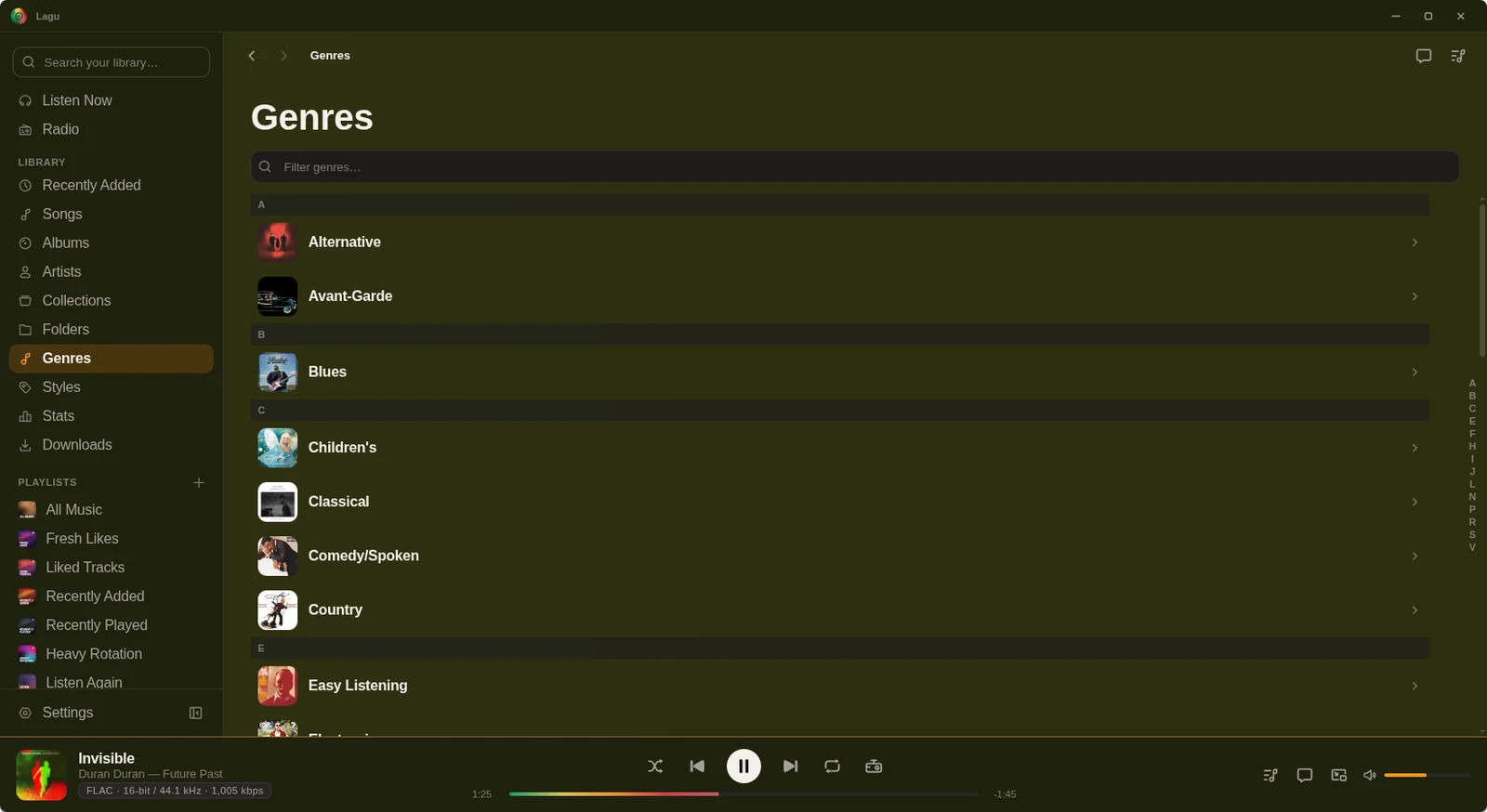
Lagu for Linux is the full desktop app, the same one that ships for Windows and macOS: your Plex music library with lossless playback, downloads, the equalizer, and network speakers. It comes as a single AppImage, and the desktop app is free for good.
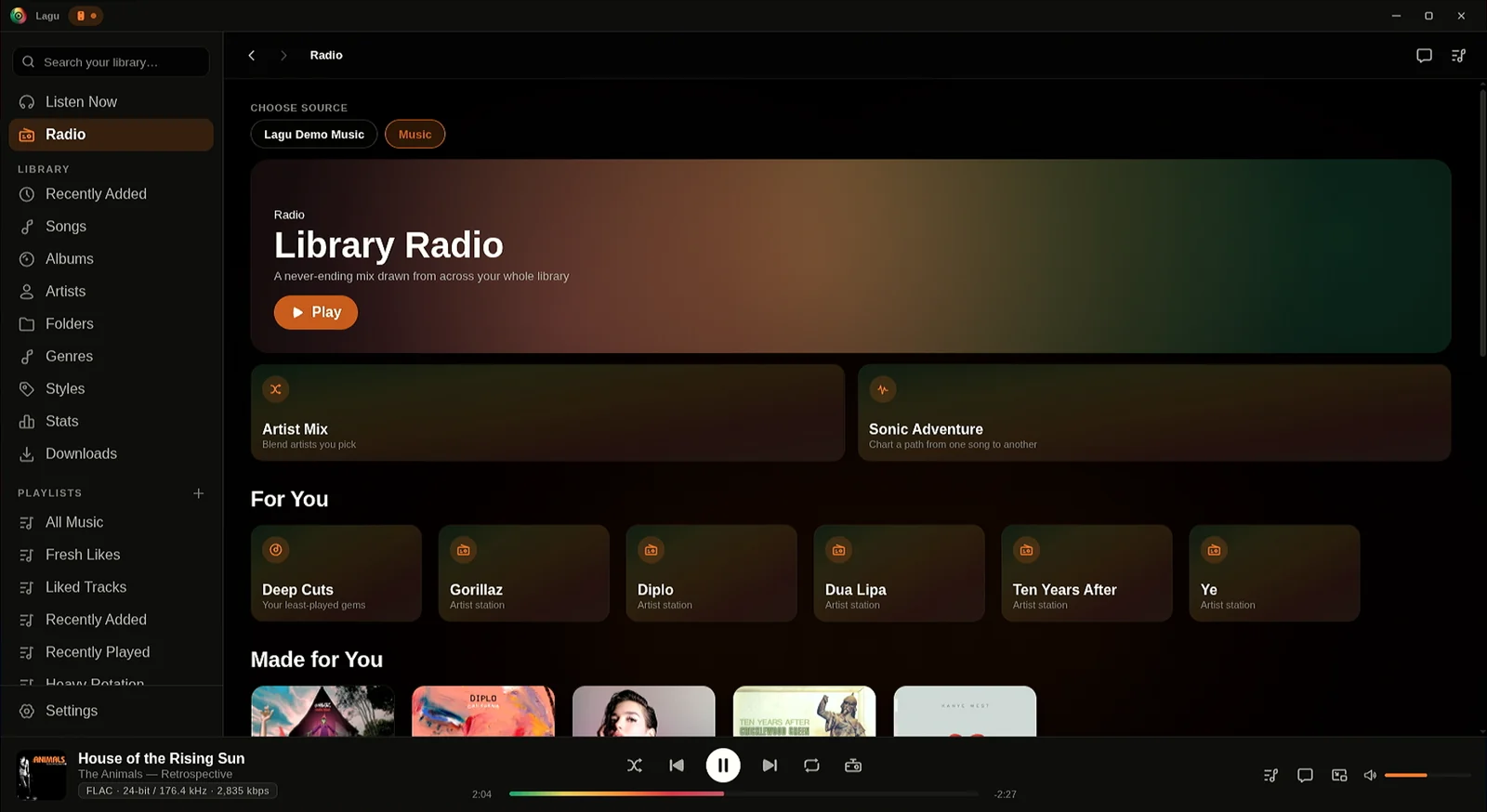
01 · On the desktop
Download one file, mark it executable, and run it. Lagu signs in through your browser with Plex’s own login page and keeps nothing of yours anywhere but your machine.
Close the window and the music carries on from the tray. Lagu keeps to one running instance, so launching it again brings the window back.
Play, pause, and skip from the keyboard or a headset with Lagu in the background. Your desktop’s media controls, such as KDE’s media widget, show the title and art and can seek and set the volume.
A small always-on-top window in two shapes: a slim bar, or a square of artwork with the controls under it. It remembers its shape and where you left it, and can stay open beside the main window.
Press Ctrl+K from anywhere in the app for one overlay over artists, albums, and songs.
Turns off the ambient color animation and visualizers and leaves static cover art, so Lagu stays out of the GPU’s way while something else needs it. A controller badge in the title bar shows it’s on.
Context menus on tracks, albums, and playlists, hover actions on rows, and keyboard focus states throughout.
Bloom tints the page, sidebar, title bar, and player bar with the cover that is playing. Mono is flat, in a Primary colour you pick, true-black OLED included. Either look can follow your desktop’s light and dark switch.
Ctrl-click, Shift-click, or Ctrl+A to pick songs on an album, a playlist, or Songs, then queue, add, or download them together. Press ? anywhere for every keyboard shortcut.
If Lagu can’t reach Plex at launch, it opens on your Downloads with Retry, and an album page plays the songs you have.
02 · Sound
Direct-play FLAC with the codec, bit depth, and sample rate shown on Now Playing, and no gap between album tracks.
Preamp, twelve presets, presets of your own, and AutoEq profiles for about 2,900 headphones, kept between launches.
Experimental and off by default: turn on Network speakers in Settings, Playback, and play to a WiiM or another DLNA speaker. Your Plex token never reaches it.
Albums, playlists, artists, and tracks at original quality or a bitrate you pick, kept-synced playlists, and Verify downloads for a damaged file.
Seven visualizers drawn in the colors of the album that is playing, with a fullscreen mode. With the visualizer off, Now Playing shows a large cover instead.
Last.fm and ListenBrainz, and Discord Rich Presence showing what is playing, with the cover when it can find one. All three are off until you turn them on.
On screen
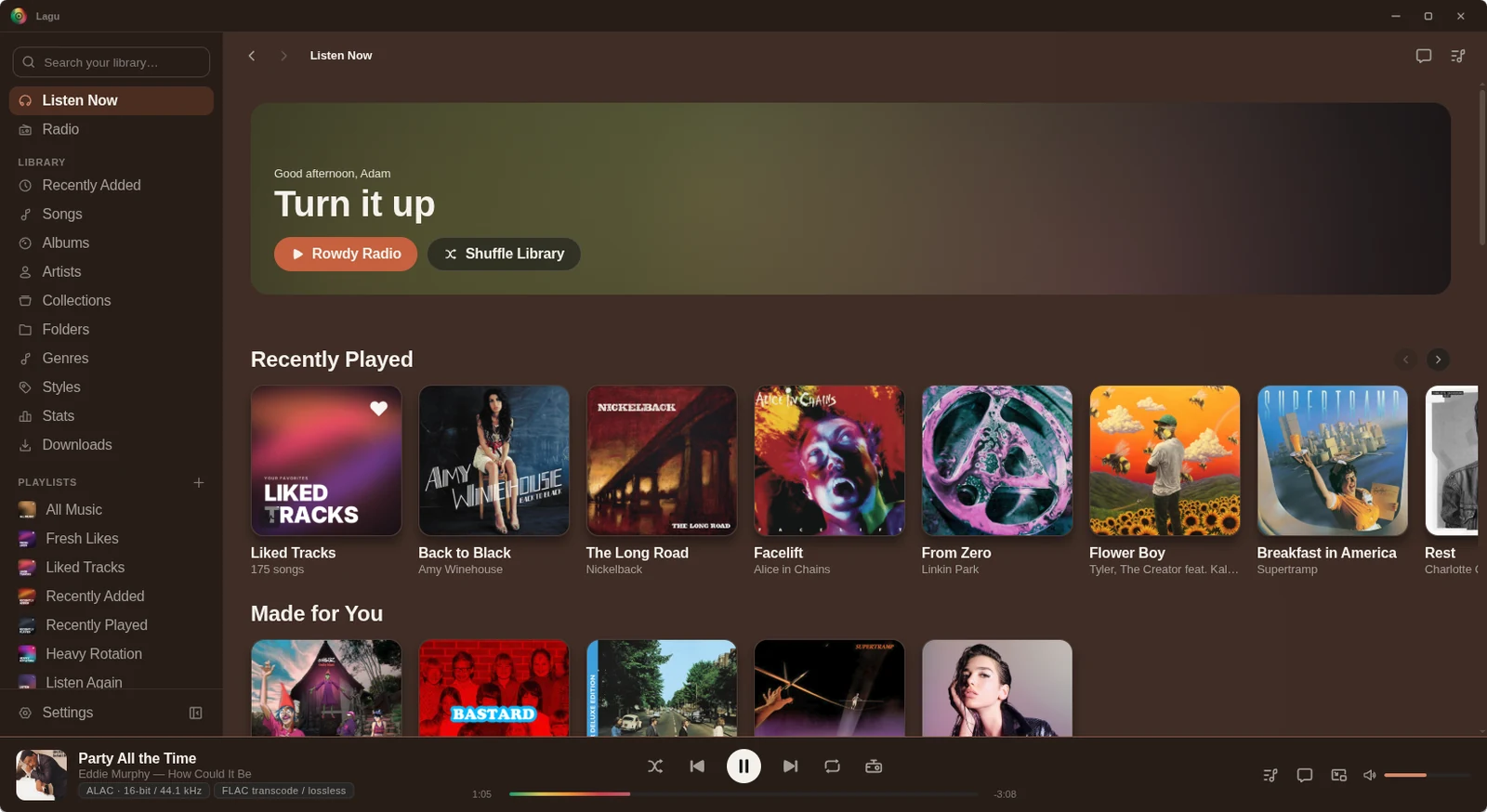
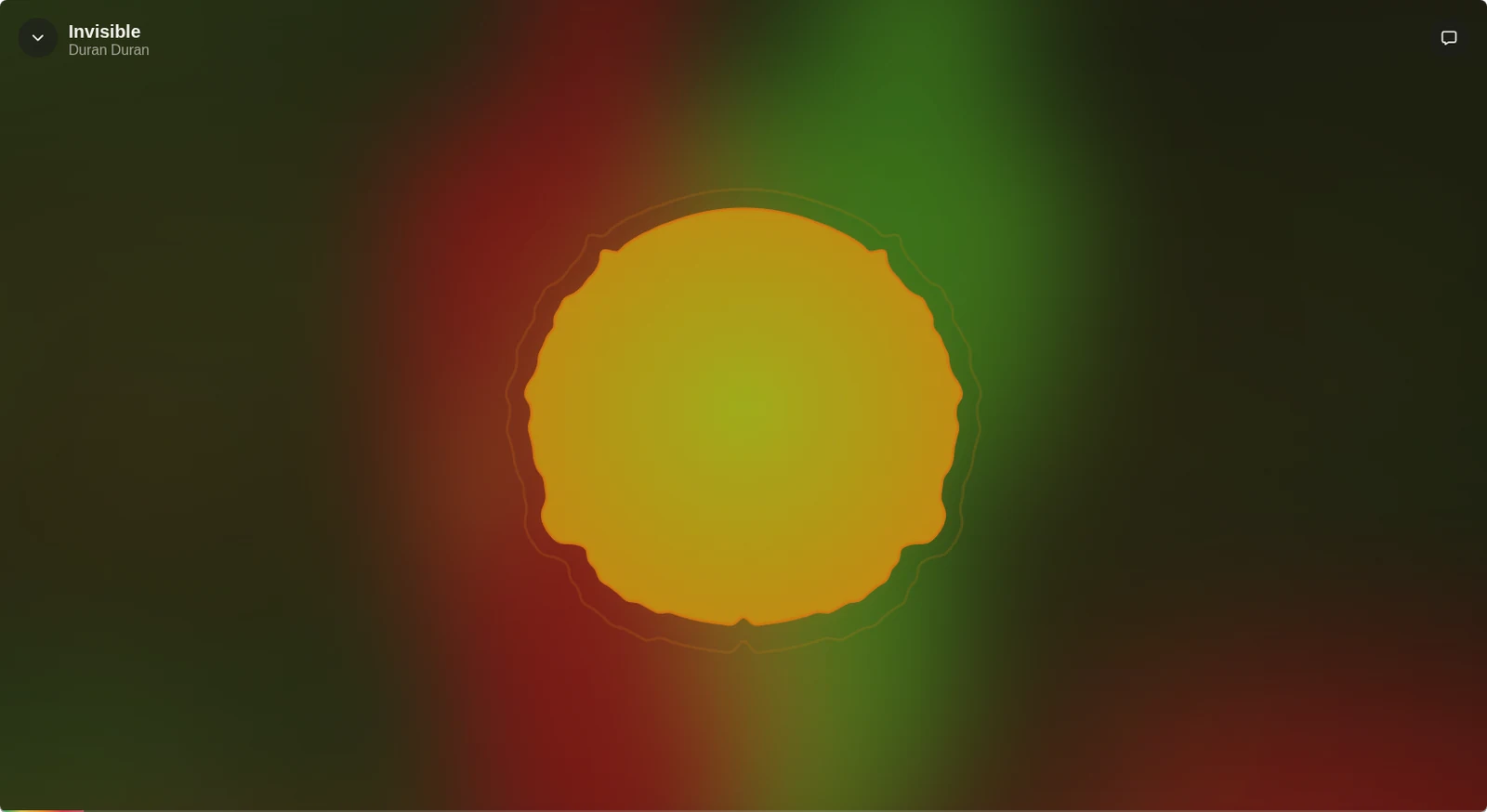
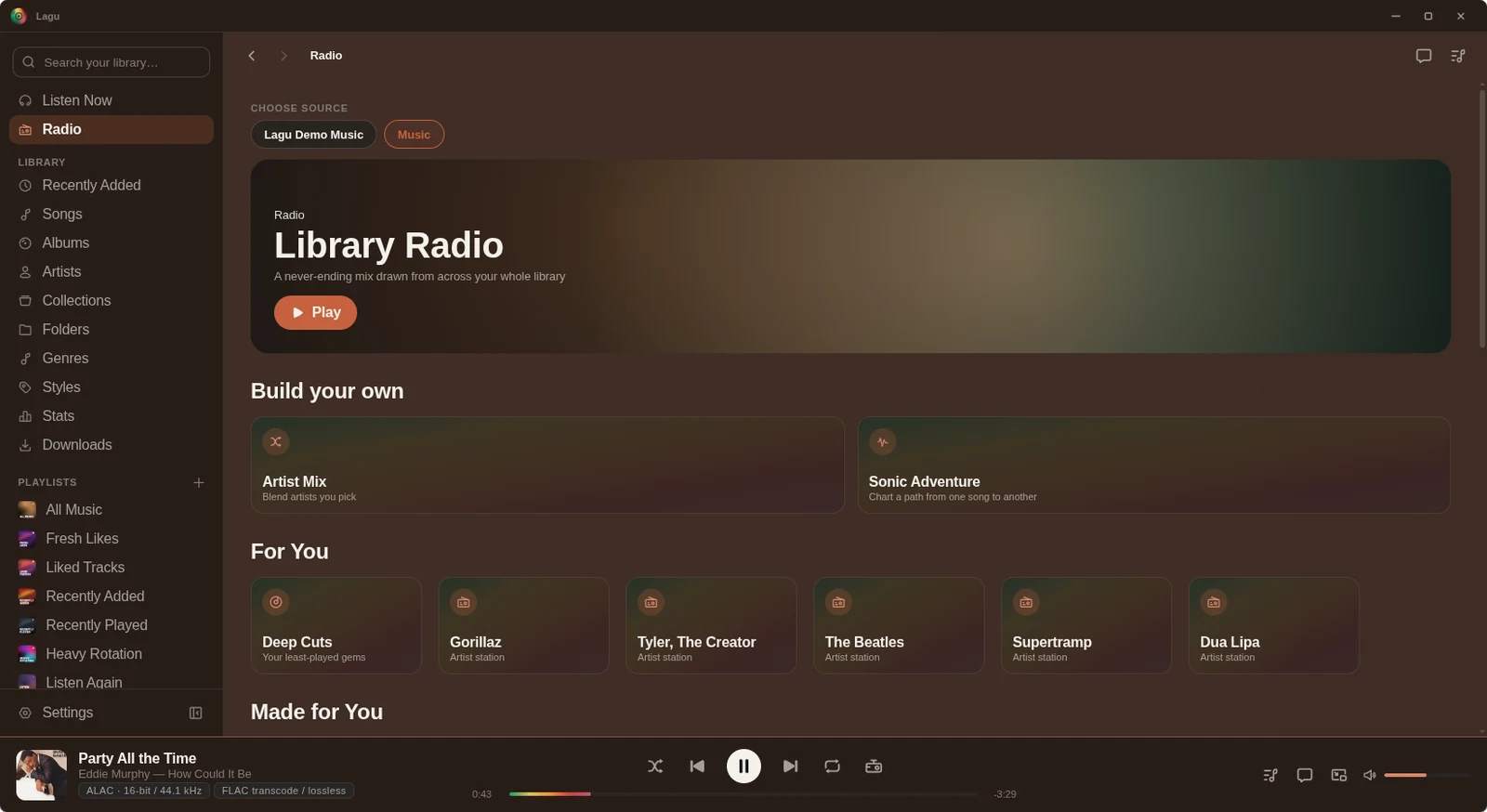
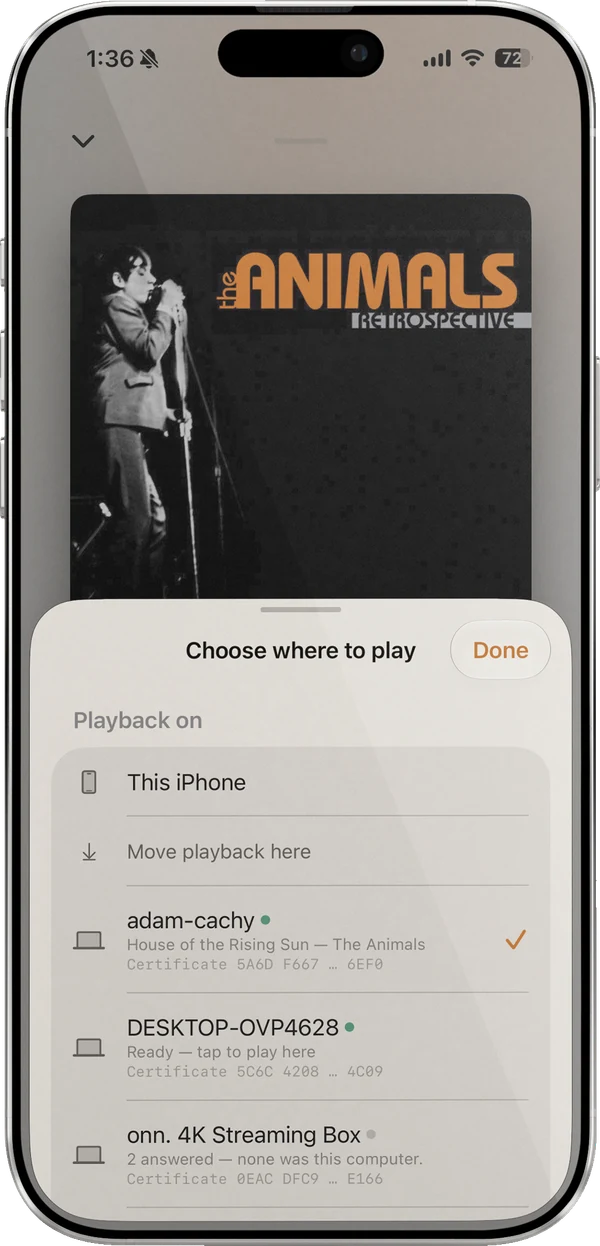
Turn on Lagu Remote in Settings and Lagu for Linux is a Remote host whenever it is running, tray included. Pair an iPhone or Android phone with a QR code, and it can browse the library, search, queue, seek, and set Lagu’s volume on the desktop over your own network. The same sheet moves playback between the phone and the desktop in either direction. A Linux box wired to the amplifier becomes the player for the room, with the phone as its screen.
What it doesn’t do
What the Linux build does not have yet. The platform table has every feature, cell by cell.
There is no .deb, .rpm, Flatpak, or ARM build yet. If one of those would decide it for you, say so on the forum.
Casting to a Chromecast, Google TV, or Nest speaker is off by default in Settings and has been tried on only a few receivers so far. While casting there’s no gapless, no downloaded files, and no EQ or leveling.
Phones bring the queue back paused where you left it. Desktop starts fresh.
Phones split quality by Wi-Fi and cellular. Desktop has a single setting.
Getting it
Get the AppImage from the download page, and check it against our signed checksums if you like.
chmod +x Lagu-*.AppImage, then open it. Nothing is installed system-wide, and removing Lagu is deleting the file. Later versions install from inside the app, checked against our signed checksums first.
Lagu opens Plex’s sign-in page in your browser. Approve it, choose your server, and the library loads.
Questions
Yes. Lagu is a music player for Plex with a desktop app for Linux, Windows, and macOS. The Linux build is an x86-64 AppImage with lossless gapless playback, a ten-band EQ, offline downloads, DLNA network speakers, and a mini-player that stays on top.
Yes. The desktop app is free forever on Linux, Windows, and macOS. Only the mobile apps carry a price, $1.99 once, and there is no subscription.
No. Playback, downloads, the EQ, network speakers, and Lagu Remote work without it. Sonic radio, moods, and Plex-fetched lyrics rely on Plex Pass on the server, as they do in any Plex client.
Lagu ships as an AppImage, which runs on most x86-64 desktop distributions without installation. There is no ARM build, so a Raspberry Pi is not supported yet.
Lagu is a desktop app and needs a graphical session. What it can do is run in the tray on a machine wired to your speakers and be driven entirely from a phone with Lagu Remote.
Lagu on other screens: iPhone · iPad · Apple Watch · Apple TV · Android · Android TV · macOS · Windows · every feature
The open beta is here. Desktop is free, iPhone, iPad, and Apple TV are free while the beta runs, and Android is $1.99 once on Google Play.
Download Lagu