
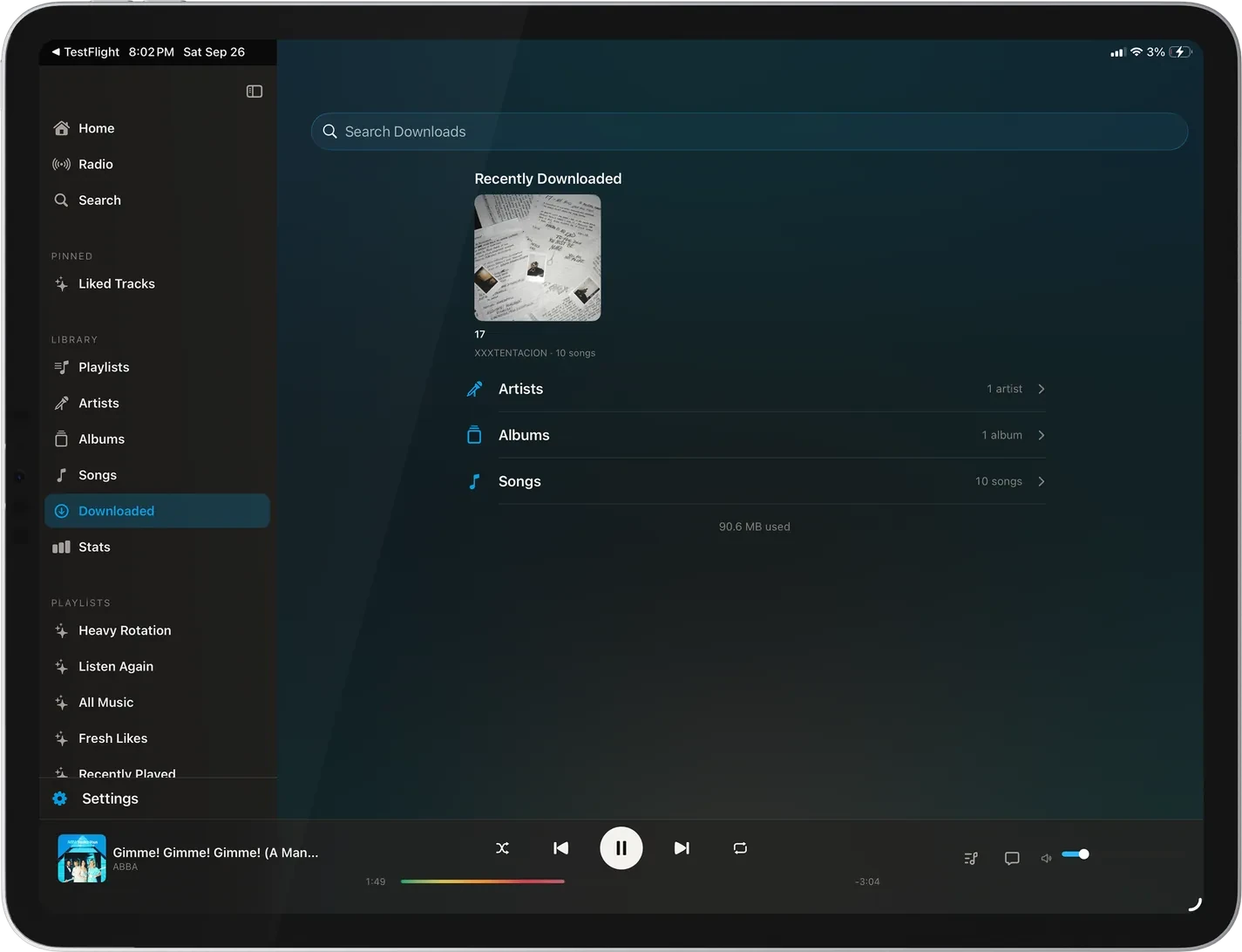
A sidebar
Home, Radio, and Search, then your pinned playlists, library sections, and playlists. Collapse it and it stays out of the way. Library rows you never use can be hidden in Settings.
Lagu for iPad
Lagu for iPad is the iPhone app laid out again for the bigger screen. Hold it upright and it works like the phone. Turn it sideways and you get a sidebar, a player bar docked along the bottom, and a Now Playing with room for the lyrics and the queue.
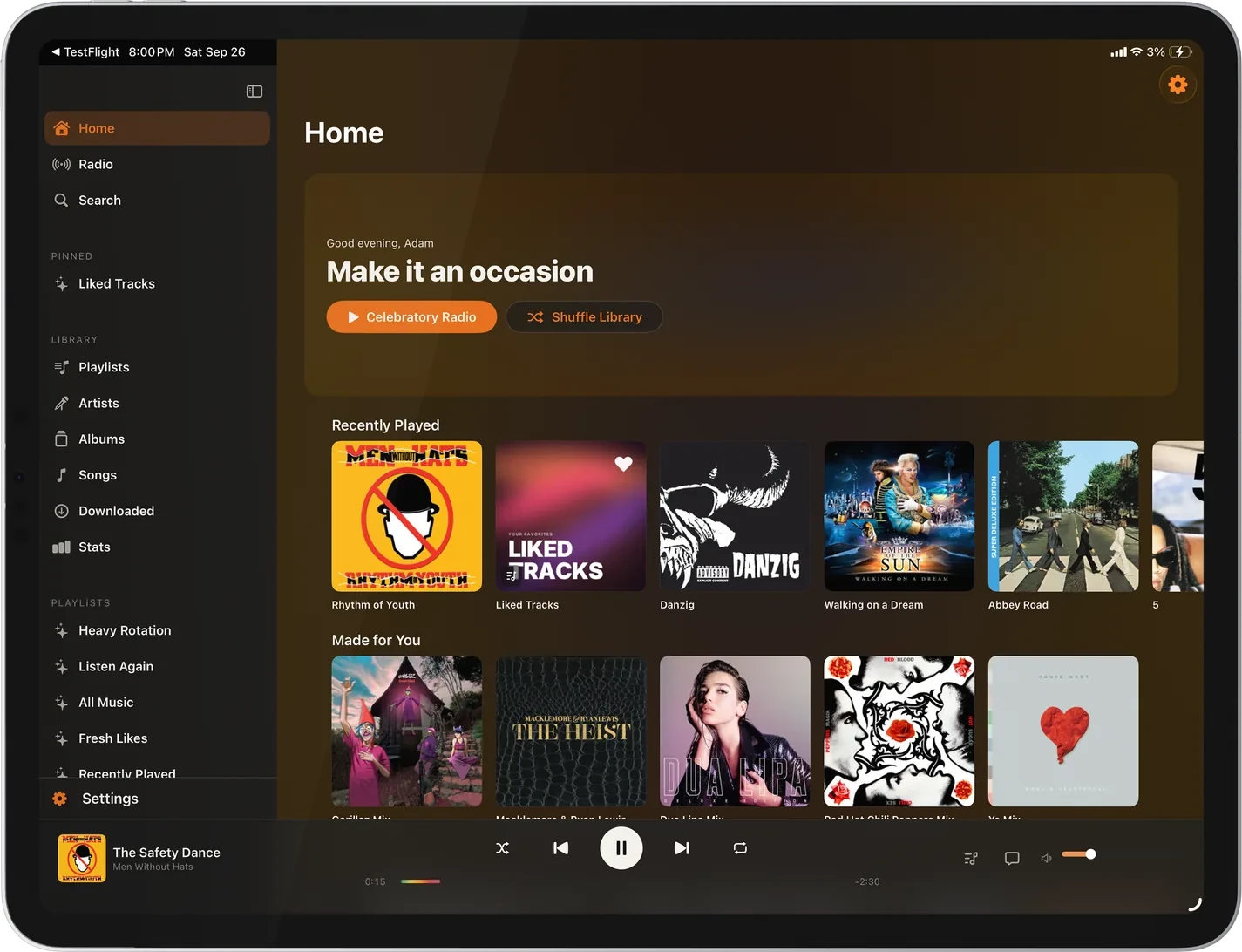
01 · In landscape
The layout follows the window, not the device. Slide Over and a narrow Split View get the phone layout, and a full-width window gets the sidebar.
Home, Radio, and Search, then your pinned playlists, library sections, and playlists. Collapse it and it stays out of the way. Library rows you never use can be hidden in Settings.
Pin the playlists you play most. Drag them into order, swipe to unpin, or long-press for Move to Top.
Transport in the middle, the artwork and title on one side, and the seek bar with elapsed and remaining time, always in reach.
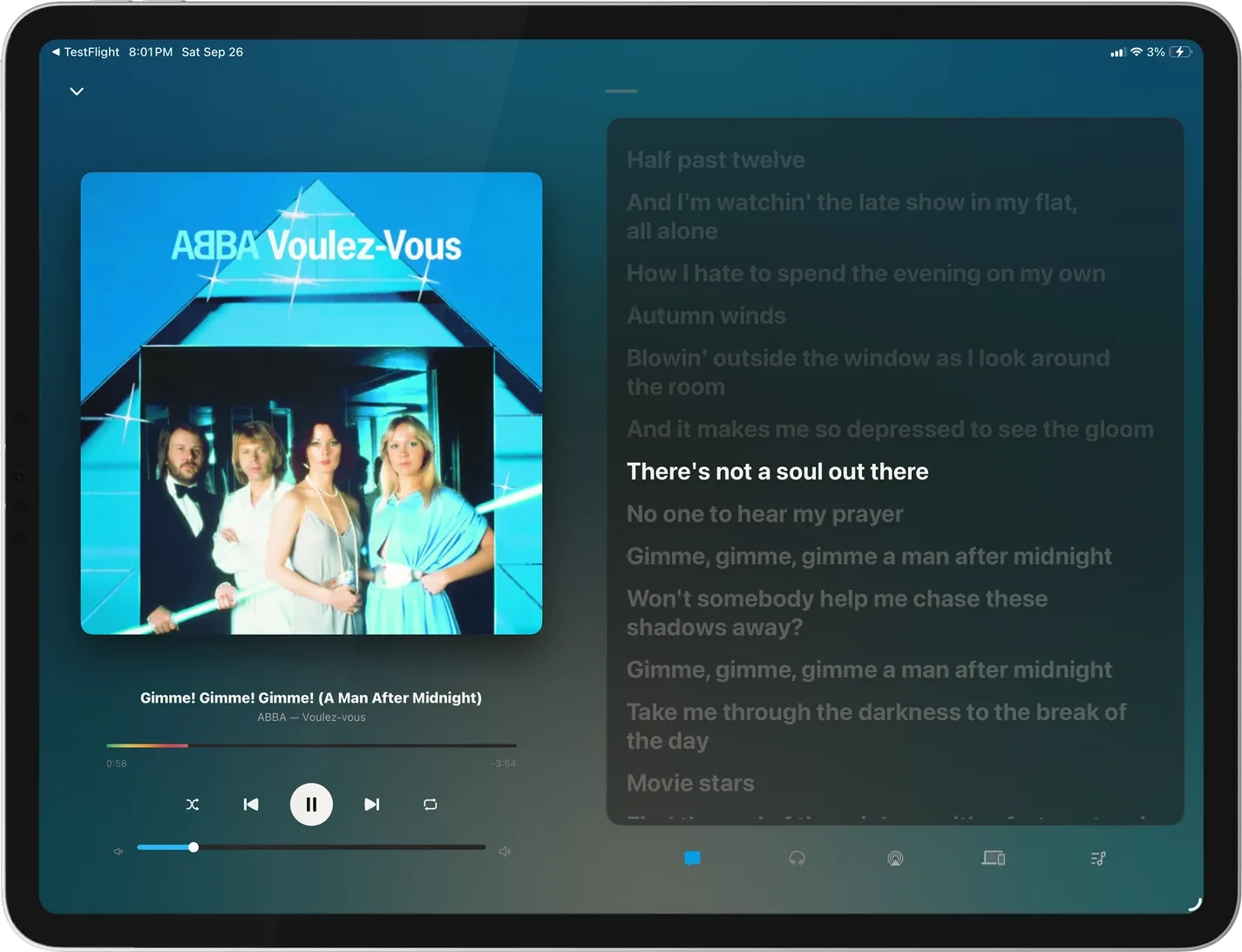
In landscape, the seek bar, clocks, and volume get their own column beside the artwork, with lyrics and Up Next panels that fit the screen.
Album grids sized to the width, lists kept to a comfortable reading measure, and album pages with the art beside the details.
Upright, the iPad uses the tab bar and mini-player you know from the iPhone.
02 · Everything from the iPhone
Direct-play FLAC, the format on Now Playing, and no gaps between album tracks.
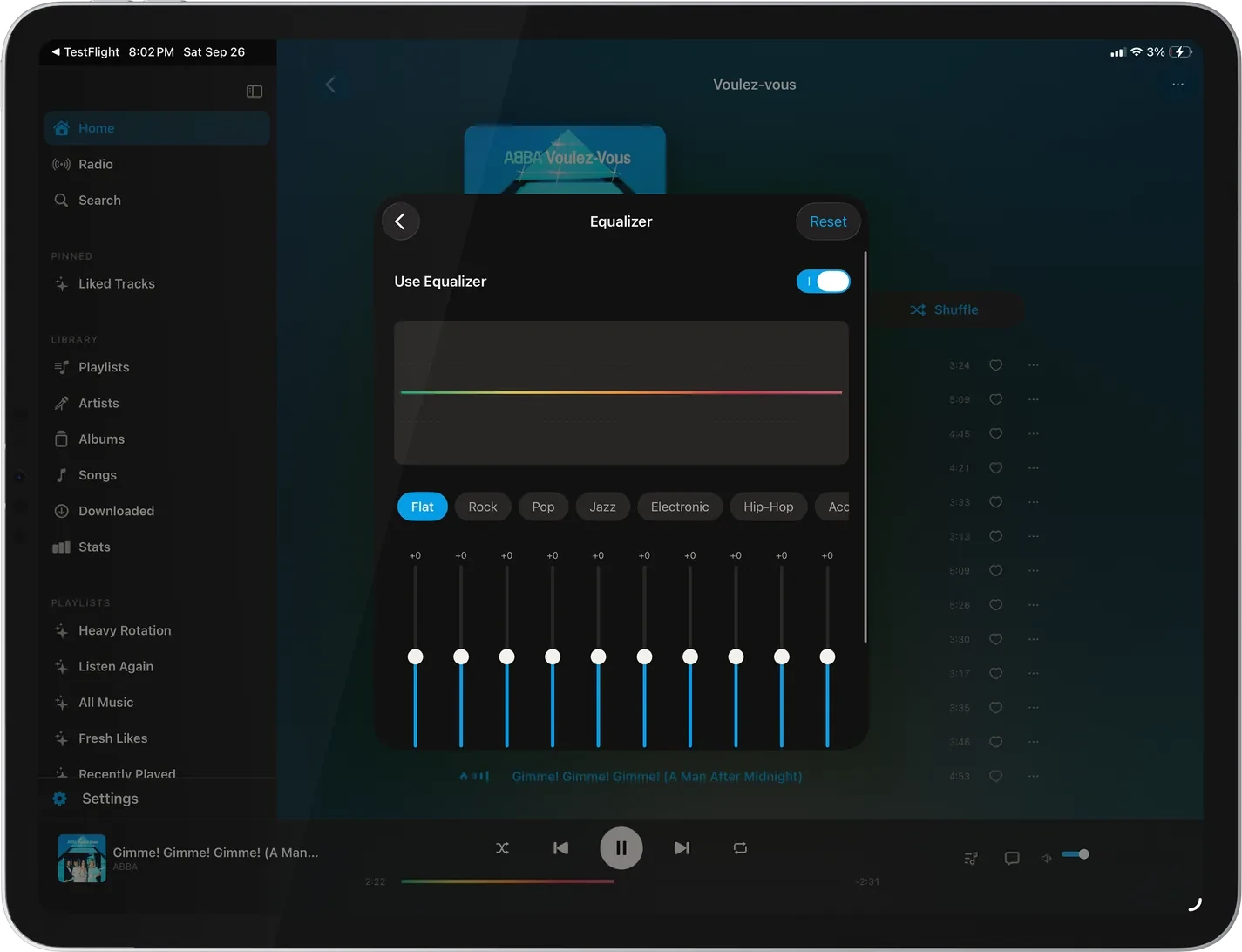
Preamp, twelve presets, and a custom curve.
Albums, playlists, artists, and songs for a flight, at Original quality or a bitrate you pick.
Six visualizers in the album’s colors, and an optional waveform seek bar that shows the loud and quiet passages.
Ask for a song or playlist by name, and send playback to AirPlay speakers.
Control Lagu on a computer, Apple TV, or Android TV from the iPad with Lagu Remote.
On screen
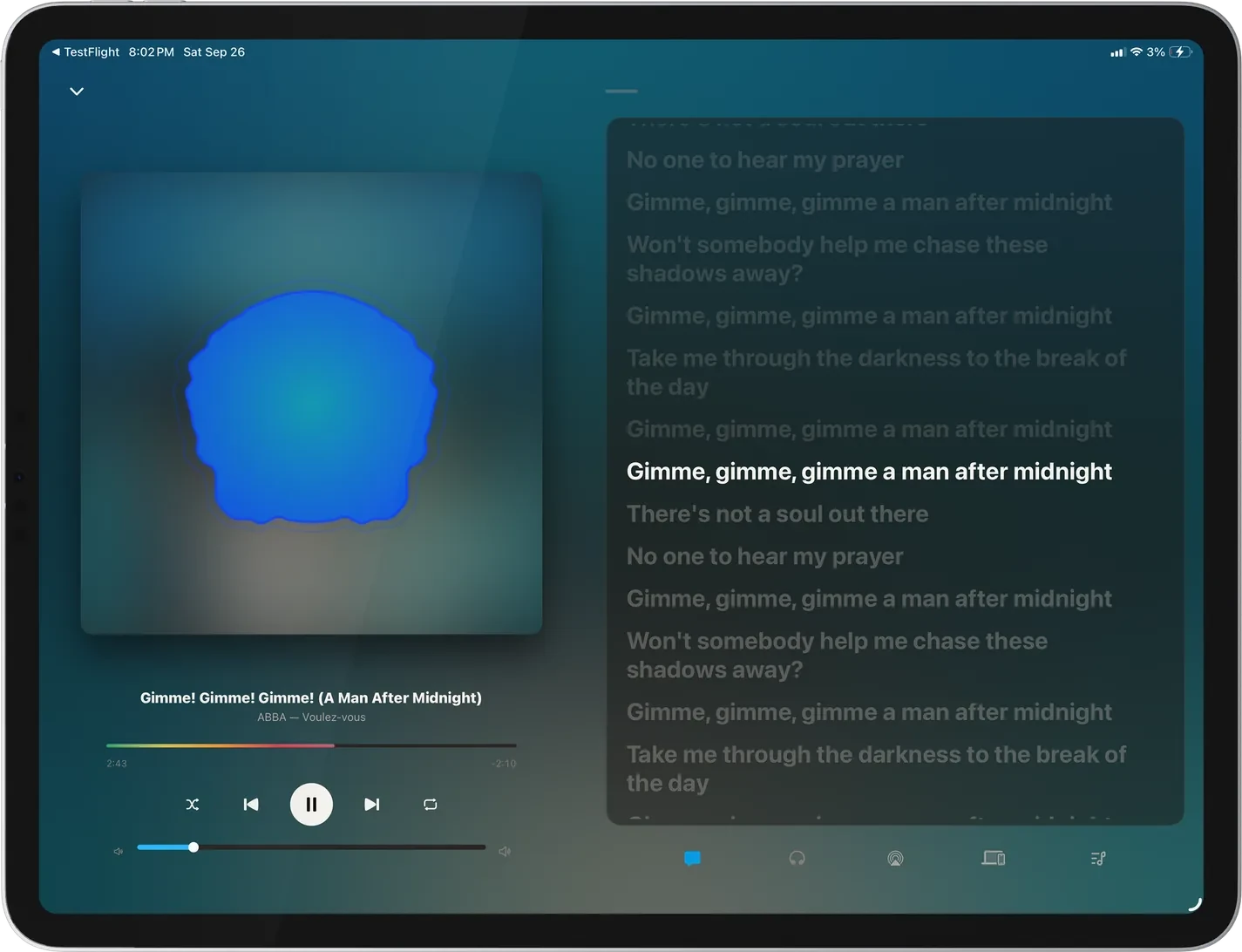
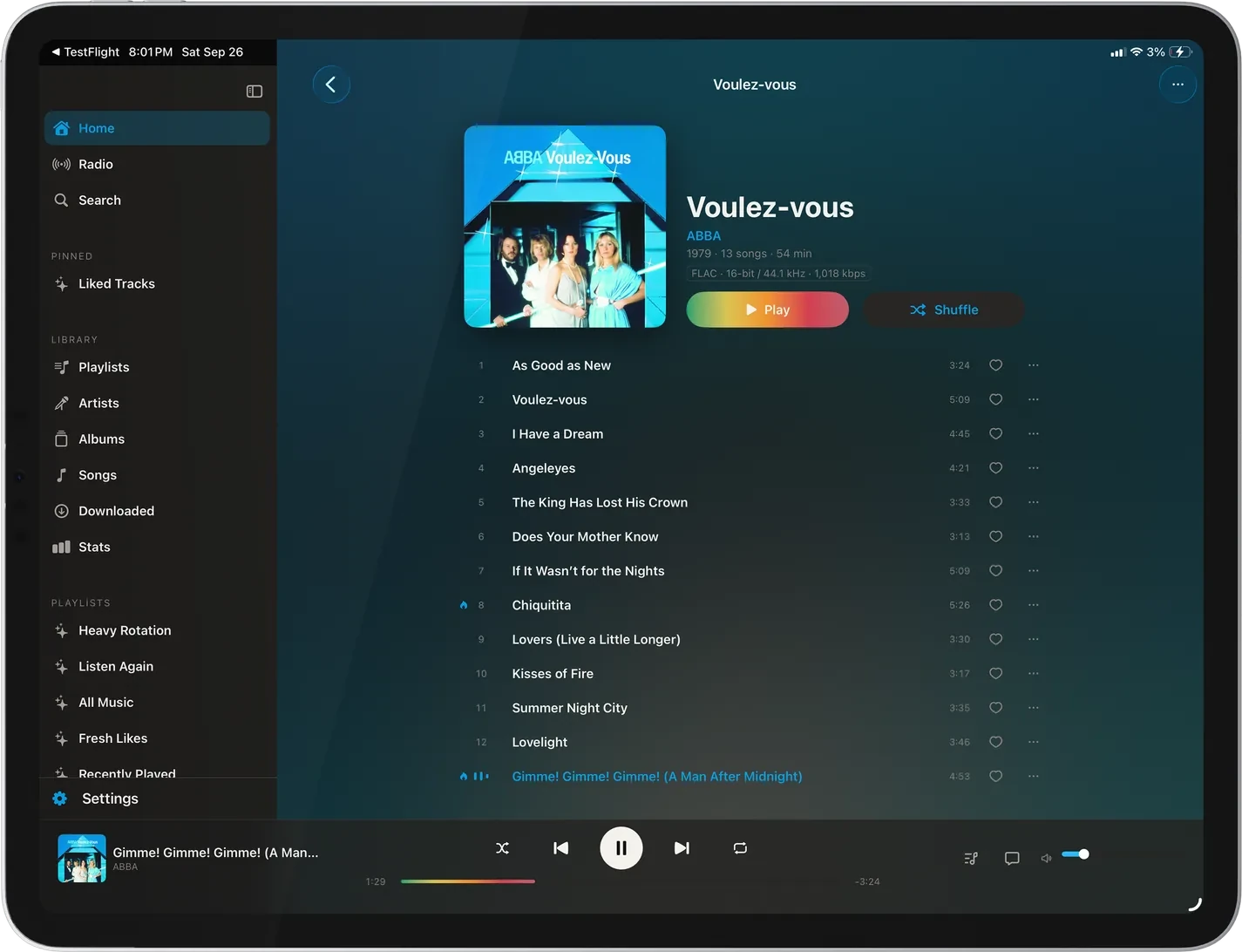
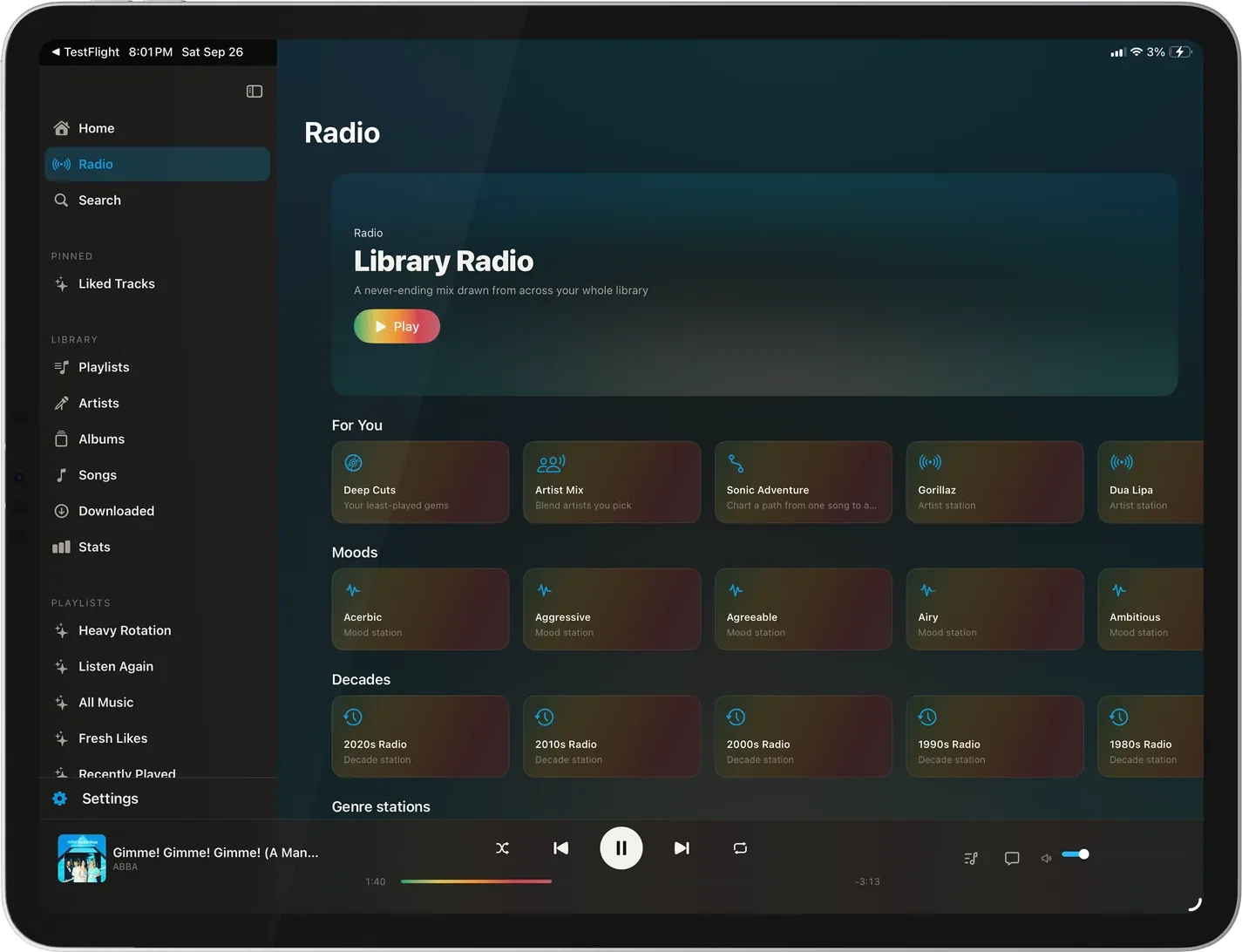
Turn the iPad sideways and Now Playing splits in two. The artwork, seek bar, clocks, and volume take one column, and synced lyrics or Up Next take the other, sized to the screen. Tap a line to jump to it, or switch the cover for a visualizer and keep the lyrics running beside it.
What it doesn’t do
Where the iPad app stands. The platform table has every feature, cell by cell.
The landscape layout runs on real iPads. The collapsed sidebar and portrait still have checks to finish. A report from yours helps.
A keyboard types in search, but play, pause, and skip have no shortcuts of their own.
Network speakers are on Android and desktop. The iPad has AirPlay.
The iPad controls other screens, but other devices cannot control Lagu on the iPad.
Getting it
Pick iPhone or iPad on the signup form. Invitations go out by email in waves as TestFlight places open.
iPad, iPhone, and Apple TV share one TestFlight listing, so one invitation covers all three.
Tap Continue with Plex, approve it on Plex’s own page, and pick a server if you have more than one.
Questions
Yes. Lagu is a music player for Plex, and its iPad layout adds a sidebar with pinned playlists, a docked player bar, and a landscape Now Playing with lyrics and the queue. It plays lossless and gapless, with downloads and a ten-band EQ.
Yes, in landscape. It switches to a sidebar layout with wider grids and a docked player. In portrait, Slide Over, or a narrow Split View window, it uses the phone layout.
No. Lagu is free during the beta. At launch, one $1.99 App Store purchase covers iPad, iPhone, and Apple TV together, and Family Sharing works.
No. Playback, downloads, the EQ, and playlists work without it. Sonic radio, moods, and Plex-fetched lyrics rely on Plex Pass on the server, as they do in any Plex client.
Yes. Lagu Remote pairs the iPad with Lagu on a Mac, Windows or Linux PC, Apple TV, or Android TV over your own Wi-Fi, to browse, queue, and seek on that screen.
Lagu on other screens: iPhone · Apple Watch · Apple TV · Android · Android TV · macOS · Windows · Linux · every feature
The closed beta is open and free while it runs, on Android while places last. Invitations go out from the list in waves.
Join the beta list